
Blog
Interactive Course Content: Quizzes, Tasks and Submissions
Interactive online courses with quizzes, assignments and submissions: how to lift learning outcomes and completion rates without writing code.
Creating coursesAn online course that consists only of videos is basically an expensive book. Students watch, nod internally and forget most of it within days. Interactive content flips that pattern: it requires the learner to become active, and that is exactly what anchors knowledge. Anyone wanting to build an interactive online course therefore does not simply add more material but more participation.
In this article you will learn why interactivity raises the quality of your course, which elements suit which purpose, how to organise peer feedback and submissions, how to implement all of it without coding, and what it looks like concretely on memberarea.io. By the end you can plan your first interactive course.
The short answer: one element after every larger learning unit, and the one that matches the intent. Quiz for knowledge, assignment for application, discussion for exchange. From roughly twenty students on you need a feedback model that works without you.
Why an interactive online course pays off
Learning works through application, not through watching. Learning psychology has long shown that actively retrieving knowledge, for instance through a question or a small task, improves retention considerably over purely passive consumption. An interactive online course uses exactly that effect: every quiz, every assignment and every discussion forces the learner to process what they learned rather than letting it drift past.
The second advantage is motivation. Interaction creates small wins: a correctly answered question, a solved task, a helpful response from the group. Those moments keep students going and measurably raise completion rates. A course you only consume loses its students quietly. A course that asks something back keeps them awake.
Interaction shows you where the course stalls
The third advantage is feedback in both directions. Quiz results and assignments show you as the provider where students get stuck, and the student where their gaps are. That turns a rigid course into a learning system you can improve deliberately. So before building an interactive online course, it is worth thinking about where participation makes the biggest difference.
Timing matters here. A question right after the explanation works differently from a question that appears days later. The strongest effect comes when the interactive element follows shortly after the content while the knowledge is fresh, and repeats later in a slightly changed form. That deliberate spaced repetition is one of the most reliable ways to anchor content long term.
Types of interactive elements: quizzes, assignments and discussions
Interactivity takes many forms, and not every one suits every piece of content. The main building blocks at a glance:
- Quizzes: short knowledge questions after a lesson anchor what was just learned and give immediate feedback. They suit facts, definitions and comprehension checks.
- Assignments and exercises: here the student applies the knowledge, for instance by writing a text, filling in a template or completing a small project. Assignments are the heart of real transformation.
- Discussions: questions that invite exchange turn solitary learning into a shared experience. Students often learn as much from others' answers as from the course material itself.
- Checklists and downloads: practical aids the student uses directly bridge the gap from knowledge to everyday implementation.
| Element | What it is for | Effort for you | What you learn from it |
|---|---|---|---|
| Quiz | securing facts and comprehension | one-off, then none | which question is answered wrongly again and again |
| Assignment with submission | practising application | per submission, if you mark it yourself | whether the learning lands in practice |
| Discussion question | prompting exchange | moderation, ongoing | which questions the group really has |
| Checklist or template | easing implementation | one-off | nothing, but it gets used the most |
The third column decides how much interactivity you can afford. The fourth explains why the effort is worth it anyway.
A good rule of thumb: plan at least one interactive element after every larger learning unit. Whether quiz, assignment or discussion question depends on whether you want to check knowledge, practise application or prompt exchange. The deliberate mix keeps the course varied and speaks to different learning types without feeling arbitrary.
An example makes that concrete. In a marketing course you could set a short quiz after the theory on target audiences, then give the assignment to write your own audience description, and finally open a discussion question where students compare their results. Checking, applying and exchanging then mesh and cover the same content from three directions, which noticeably deepens understanding.
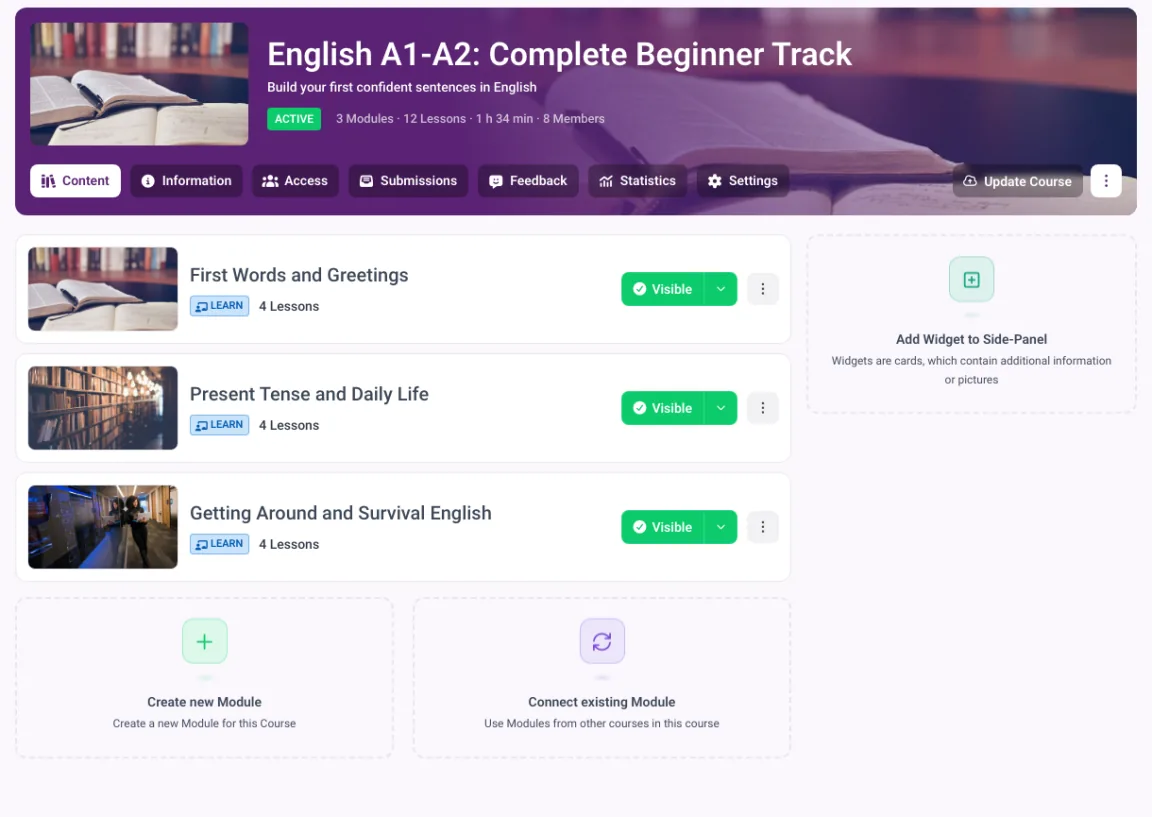
Interaction belongs inside the lesson, not in an appendix at the end of the course. The structure underneath is in how to create an online course.
Organising peer feedback and submissions
As soon as students submit assignments, the question of feedback arises. With few students you can comment on every submission yourself. As numbers grow that quickly becomes a full-time job, and this is exactly where peer feedback comes in.
In peer feedback students assess each other against clear criteria you set. That relieves you, and it has an underrated learning effect: assessing someone else's work makes you reflect on your own more thoroughly. For it to work you need three things: an unambiguous task, a simple assessment guideline and an orderly process for who sees whose work.
For the submissions themselves, a central inbox has proven itself, where all submissions are collected, given a status and commented on individually. That way you keep the overview even with many students and nobody waits in vain for a response. An integrated solution where submission, assessment and notification sit together saves a lot of manual work and prevents submissions from getting lost.
Which model works at which course size
| Students | Who gives feedback | Your effort per round |
|---|---|---|
| up to 20 | you, on every submission | at 10 minutes each, around 3 hours |
| 20 to 100 | peer feedback plus spot checks by you | 1 to 2 hours for the spot checks |
| over 100 | peer feedback plus a model answer for everyone | the model answer, once |
At 50 submissions and 10 minutes each it is over eight hours per round. That number is exactly where courses fail that promise interactivity and then do not deliver.
To stop peer feedback staying superficial, small rules help. Ask every student for at least one concrete thing that worked well and one that could improve. Set that every submission is seen by at least two others so nobody is left without a response. And clarify the tone in advance: respectful, concrete and about the work. With those guardrails peer feedback becomes a real learning gain rather than a compulsory click.
When assessment legally becomes supervised distance learning
A point worth knowing with interactive courses: in Germany, distance learning under the Distance Learning Protection Act is defined as the paid transfer of knowledge and skills where teacher and learner are predominantly physically separated and the teacher or their representative monitors learning progress (§ 1 FernUSG). Assessed assignments and graded tests are exactly that monitoring. Such courses then require approval, with courses serving exclusively leisure or entertainment purposes exempt (§ 12 FernUSG). If your course qualifies people professionally, clarify this in advance with a qualified adviser; more on that in creating certificates for online courses. This is not legal advice.
Interactive also means operable
Interactive elements are the part of a course most likely to create barriers. The Web Content Accessibility Guidelines require at Level A that all functionality is operable through a keyboard interface without requiring specific timings for individual keystrokes (WCAG 2.2, Success Criterion 2.1.1). So test your quiz once without a mouse, using only tab and enter. Whatever cannot be solved that way excludes students.
Creating interactive content without coding
Which platforms bring these building blocks along is compared in online course platforms compared.
Many course creators shy away from interactivity because they fear technical effort. That used to be justified but no longer is. Modern course platforms deliver quizzes, assignments, discussions and submissions as ready-made blocks you insert with a click. You need neither code nor an additional tool.
The practical process usually looks like this: you insert an interactive element into your lesson, choose the type, enter questions or the task, and define what happens after the answer. Everything takes place in the same interface where you manage your videos and texts. That is how you build an interactive online course without switching platforms or bringing in developers.
What matters is using interactivity deliberately rather than indiscriminately. A quiz after every single slide annoys; a well considered quiz at the end of a chapter consolidates. Plan the interactive elements while building the course, not afterwards, and they fit naturally into the learning flow and feel like an intended part of the path.
Another advantage of ready-made blocks is reuse. Once you have built a good quiz structure or a clear assignment template, you can copy it for further lessons and courses and only adapt the content. The effort drops with every course, and your interactive style stays consistent across all content, which strengthens your brand further.
Implementation on memberarea.io
On memberarea.io interactive elements are a built-in part of the course builder. You build your course by drag and drop and add quizzes, assignments, downloads and submissions to lessons without connecting a second tool. Here is how:
- Open your course in the editor and choose the lesson you want to make more interactive.
- Add an interactive element, such as a quiz with multiple answer options or an assignment with text entry and file upload.
- Decide whether an assignment is assessed by you or through peer feedback, and store the assessment criteria.
- Collect submissions in a central area, comment on them and notify students automatically.
Because courses, community and automations sit together on memberarea.io, interactive elements can interlock with the rest of the course: a discussion question lands in the community, a passed quiz unlocks the next lesson, a missing submission triggers a friendly reminder. The details are on the interactive content page and the submissions page, plans on the pricing page.
Build your first interactive course on memberarea.io and turn passive watching into active learning. Start free and add a quiz or an assignment to your first lesson in minutes.
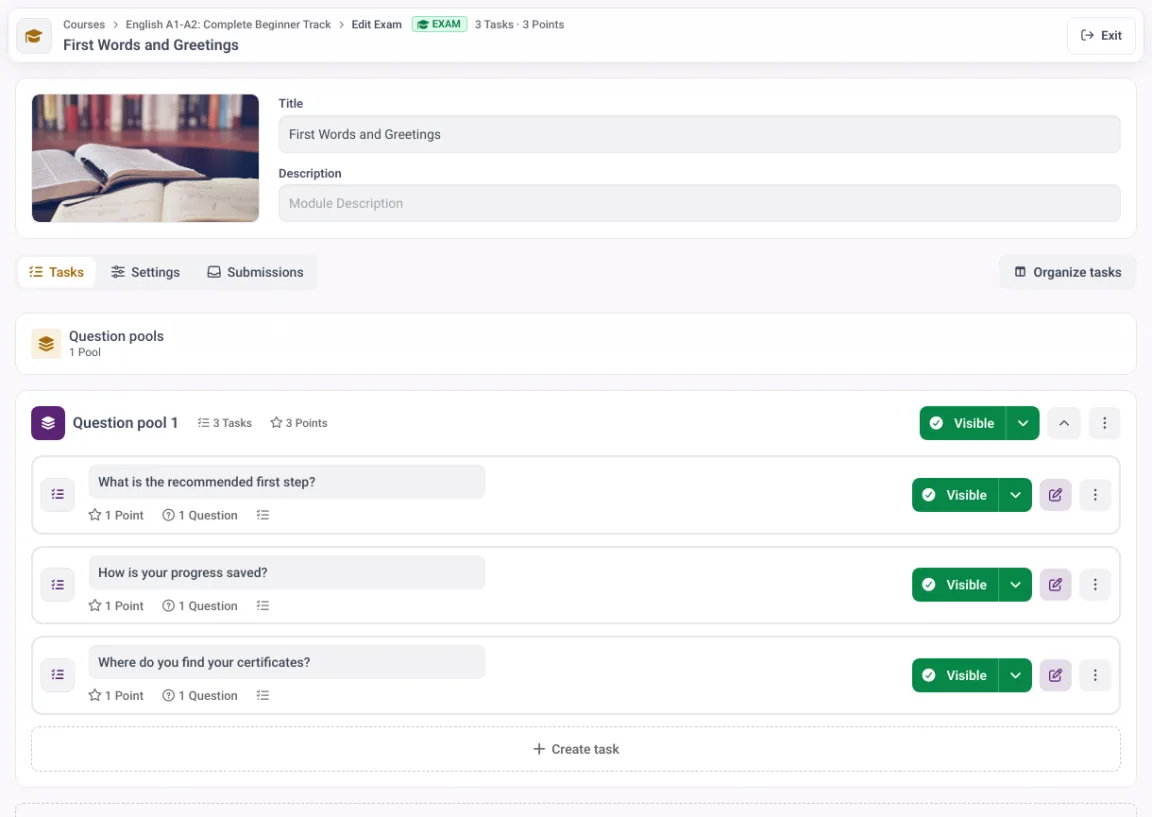
Questions, points and the pass mark in one place. How to turn that into an automatic certificate is in creating certificates.
Common mistakes in interactive courses
Three mistakes come up particularly often. First, too much of a good thing: overloading every lesson with quiz questions tires students instead of helping them. Second, missing or delayed feedback: a submitted assignment without a response frustrates more than setting no assignment at all. Third, unclear tasks: when students do not know exactly what is expected, participation and the quality of submissions drop. Clear instructions and a reliable feedback rhythm solve most of these problems.
How completion rates shift as a result is put in context in online course completion rates, and the exchange around the assignments is carried by your own community.
Frequently asked questions
How many interactive elements does a course need? There is no fixed number. As orientation: at least one element per larger learning unit, always where application or repetition brings the most benefit.
Are quizzes useful without grading? Yes. Even ungraded quizzes with an immediate answer strengthen retention, because they prompt active retrieval. Grading is only necessary if you want to certify an actual achievement.
Is peer feedback worth it in small courses? With very few students your own feedback is usually better. As soon as numbers rise and you can no longer comment on every submission, peer feedback becomes a valuable tool.
Do interactive elements greatly extend course creation? At first it costs a little more time, but ready-made blocks and reusable templates keep the effort low. The gain in learning outcomes and completion rates usually outweighs the extra minutes per lesson by a clear margin.
Conclusion
Interactivity is the difference between a course you click through and a course that actually changes something. Quizzes consolidate knowledge, assignments practise application, discussions and peer feedback create community while relieving you. Use these elements deliberately and in the right places, and learning outcomes and completion rates rise together.
If you want to build an interactive online course without code and without a second tool, memberarea.io has all the building blocks in one platform. Try memberarea.io free and turn your next course into an experience where your students take part instead of only watching.



Ready to build your membership?
Try it free for 14 days. No credit card, no setup fees. Launch in minutes.
No credit card required · Cancel anytime