
Blog
Online Employee Training: E-Learning That Scales
Online employee training instead of classroom seminars: how companies digitise onboarding, compliance and development in a scalable, compliant way.
Creating coursesEmployees change jobs more often, knowledge ages faster and regulations keep shifting. Companies that want to develop their workforce quickly hit the limits of classroom seminars: they are expensive, hard to coordinate and barely scalable. Online employee training solves exactly those problems, because it is location-independent, repeatable and measurable.
In this article you will learn why digital training becomes the standard in 2026, what to look for in a corporate LMS, how to map onboarding and mandatory training digitally, how to calculate the return, and how memberarea.io supports companies with it.
The short answer: a digital course costs creation effort once and almost nothing per head afterwards, it can be updated in one place, and it documents itself. For mandatory training that documentation is the actual reason to switch, not the cost saving.
Why online employee training is indispensable in 2026
The labour market has changed. Hybrid and distributed work is the norm, new employees often start remotely, and expertise has to be updated faster than ever. Online employee training fits that reality because it is not tied to one place and one fixed date.
The advantages are concrete:
- Scalability: a course created once trains ten or ten thousand employees at almost the same cost.
- Consistency: everyone receives the same content at the same quality, regardless of location or trainer.
- Flexibility: employees learn at their own pace, whenever it fits the working day.
- Evidence: progress, completions and test results are documented automatically, which is decisive for mandatory training.
Classroom and online compared directly
| Classroom training | Online employee training | |
|---|---|---|
| Cost per additional participant | travel, room, trainer day | close to zero |
| Updating content | schedule a new date, reprint material | change one place, everyone sees it immediately |
| Evidence | signature list in a folder | automatic record per person |
| Timing | a fixed date for everyone | whenever it fits the working day |
| Strength | questions, practice, group dynamics | repeatability and consistency |
The last row is the honest part: classroom is superior for discussion and hands-on practice. A mix of a digital foundation plus classroom for the practice part beats either pure form.
Then there is cost. Travel, room hire, external trainers and downtime add up quickly with classroom training. Online employee training shifts the effort once into creation and permanently lowers the running cost per trained employee.
Add currency of content. When a process, a product or a regulation changes, you update the course in a single place and every employee immediately sees the new state. With classroom training you would have to schedule new dates and reprint materials. That speed is often the decisive advantage in fast-moving industries, because outdated knowledge costs measurable money.
Requirements for a corporate LMS
A learning management system (LMS) is the platform your training runs on. Not every tool suits corporate use. Look out for these requirements:
- GDPR and EU hosting: employee data is particularly sensitive. A data processing agreement and servers in the EU are obligatory, not an extra.
- User and group management: you have to be able to assign employees to departments or roles and give them specific courses.
- Progress and completion reports: who completed which training and when? That overview is indispensable for compliance.
- Certificates and tests: passed exams and automatic certificates provide verifiable evidence of learning.
- Your own branding: the LMS should appear in your company's look, not in a foreign platform design.
Simple enough for the department
Simplicity matters just as much. A system that only runs with the IT department and weeks of setup slows adoption. The faster your people can create and assign courses themselves without training, the sooner the investment pays off.
An often underrated criterion is the connection to existing systems. Ideally employees can be created automatically, for instance on joining, and completions fed back into other tools. An open interface or webhooks also help embed the LMS into your processes instead of creating another data island someone has to maintain by hand.
Structuring an onboarding course
Onboarding is the most common and most effective use of digital training. A structured onboarding course brings new employees to productivity faster and relieves managers and colleagues of repeating the same explanations.
A proven structure divides onboarding into stages:
- Welcome and culture: company values, mission and a first overview so new employees feel they belong.
- Organisation and tools: which tools, contacts and processes exist? Clear instructions here save countless questions.
- Role and tasks: concrete training on the duties of the position, ideally with practical exercises.
- Knowledge check: a short test at the end confirms the key content has landed.
With scheduled release (drip content) you can spread onboarding across the first weeks instead of flooding new employees on day one. That keeps the learning load manageable and accompanies the induction over a sensible period.
The 30-60-90 day plan as a course structure
A proven pattern is the 30-60-90 day plan. The first thirty days focus on orientation and basics, after sixty days on the role in depth, after ninety days on independence and first projects of their own. In a digital course that plan can be mapped directly by unlocking the right modules at the right time and making progress visible through short check-ins.
| Period | Focus | What unlocks | Check-in |
|---|---|---|---|
| Day 1 to 30 | orientation and basics | welcome, culture, tools, contacts | knowledge check on processes |
| Day 31 to 60 | the role in depth | specialist modules, examples, first exercises | conversation with the manager |
| Day 61 to 90 | independence | specialist topics, internal knowledge base | first project of their own |
A pattern, not a standard. How scheduled release works technically is in drip content for courses.
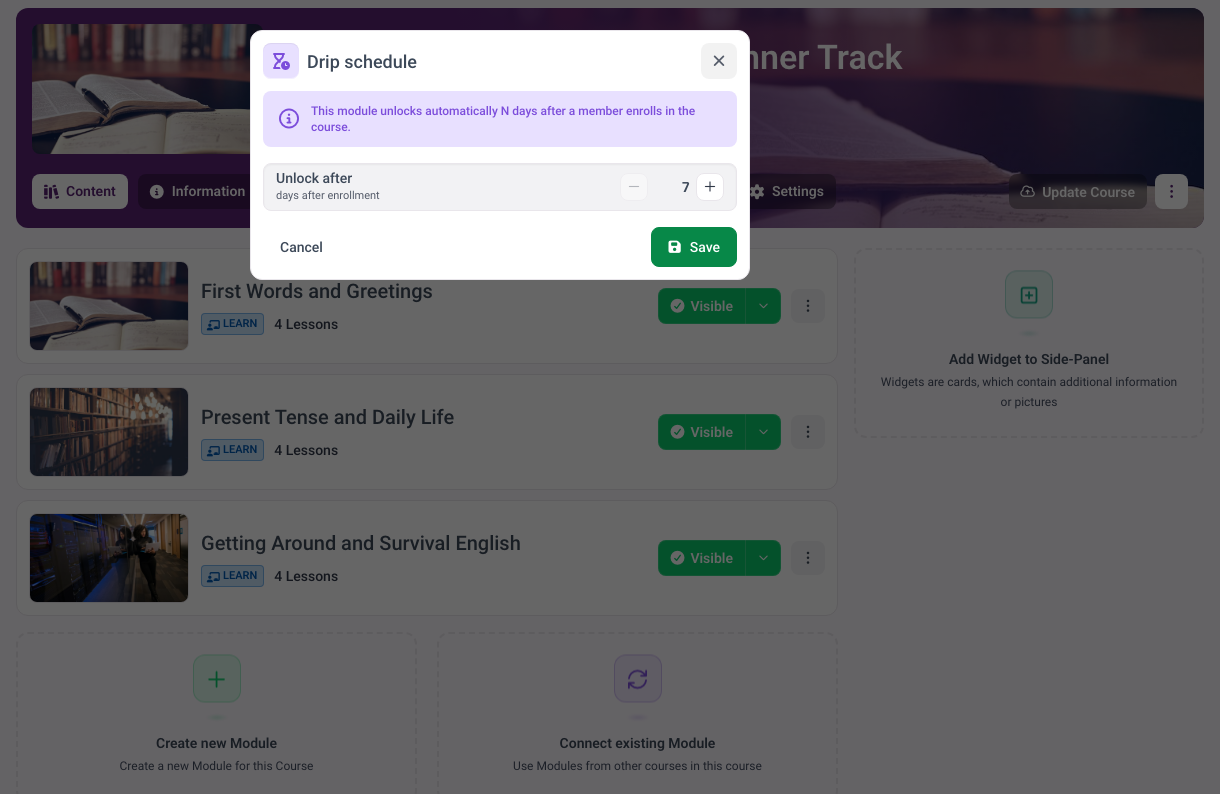
Every stage of the plan is a module with a release delay.
Mapping compliance and mandatory training digitally
Data protection, workplace safety, anti-money-laundering: in many industries regular mandatory training is legally required, and if it comes to it you have to prove it took place. This is exactly where online employee training plays its strength.
What the law actually requires
Two examples that affect almost every company. Under German occupational safety law the employer must instruct employees sufficiently and appropriately during working hours, on hiring, on changes to their duties and before introducing new equipment or technology, in each case before work begins; instruction must be adapted to the development of hazards and repeated regularly where necessary (§ 12 ArbSchG). And the tasks of a data protection officer expressly include awareness-raising and training of staff involved in processing operations under Article 39 of the GDPR (Art. 39 GDPR).
Neither provision names a fixed interval. That is precisely why documentation is decisive: whoever can prove when someone completed what with which result fulfils the purpose of the rule even without a rigid annual cycle. Industry rules and trade associations set their own deadlines on top, which you have to check separately.
Digital mandatory training can be assigned automatically, paired with a pass test and documented without gaps. The system shows you at a glance who still has training outstanding and can send automatic reminders before a deadline expires. In an audit you simply produce the completion records instead of hunting for signature lists.
Recurrence matters: many mandatory trainings have to be refreshed annually. A good LMS lets you reassign a training at fixed intervals so no employee and no deadline slips through. That takes most of the manual tracking off the compliance team.
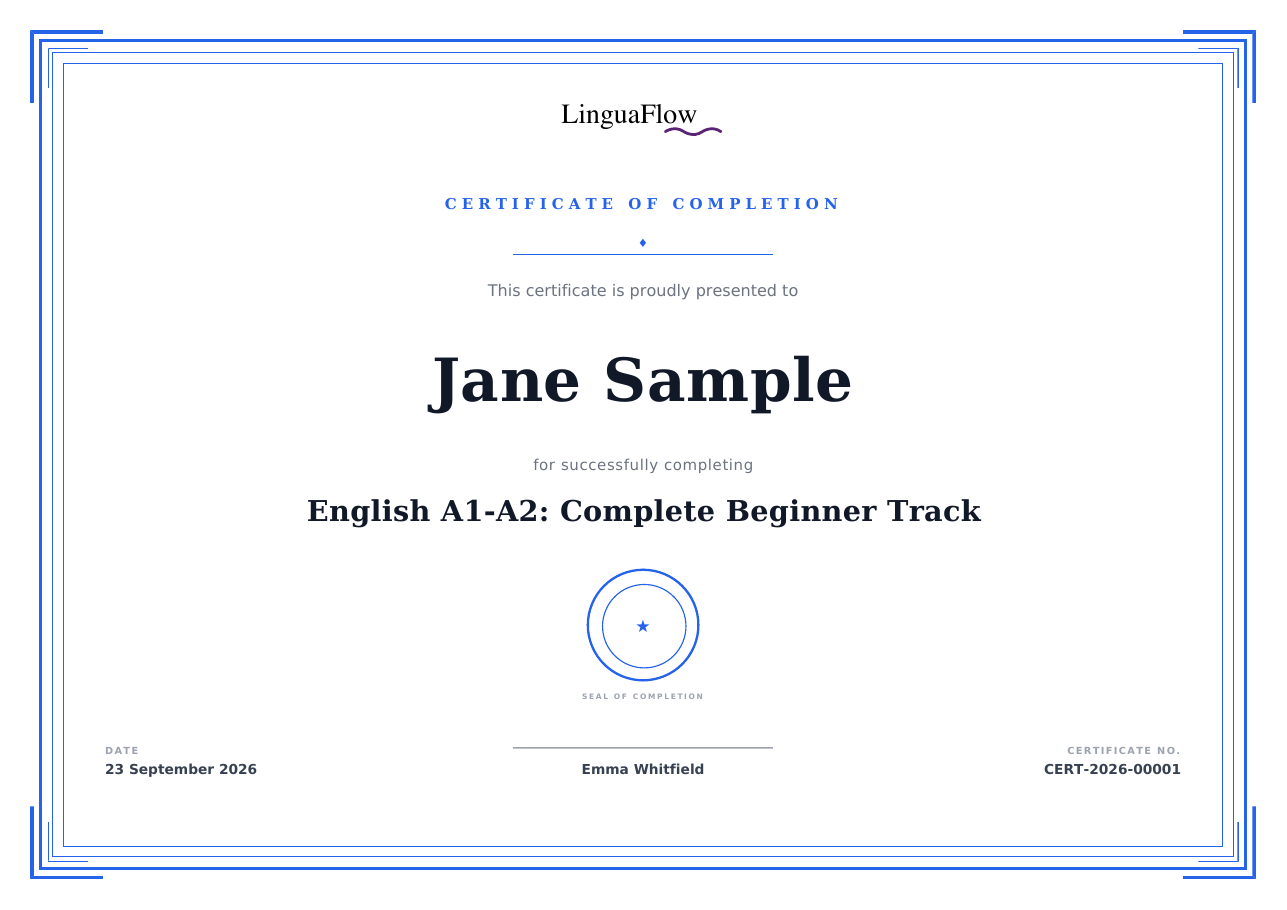
A completion that documents itself. How certificates can be designed is shown in creating certificates for online courses.
Gapless evidence is what counts. A digital system automatically records who completed which training when and with what result, and keeps that history traceable. In an inspection or audit that is often the difference between a formality and a serious problem, because missing evidence counts in case of doubt as training that never happened.
The return on digital e-learning
Online employee training is an investment, and like any investment its return can be calculated. On the cost side sit the one-off creation and the ongoing platform fee. Against that stand saved travel costs, room hire and trainer fees and above all reduced downtime, because employees no longer spend whole days in a seminar room.
A worked example
If classroom onboarding ties up a manager for a day per new employee and you hire fifty people a year, that is fifty working days tied up:
| Item | Assumption | Per year |
|---|---|---|
| Manager time tied up | 50 hires x 1 day x €400 internal day rate | €20,000 |
| Creating the course | one-off, 5 days of effort | €2,000 in the first year |
| Platform | ongoing fee | depends on the plan |
| Updates | 2 days per year | €800 |
A pure example with freely chosen assumptions, not a benchmark. Put in your own figures: the day rate and the number of hires decide everything, the rest is constant. Even if the digital course only replaces half the manager time, the switch pays for itself in the first year.
The second, harder to measure lever is quality. Faster onboarding means productive employees sooner, consistent training lowers errors, and gapless compliance avoids fines. Those effects appear in no calculation directly but are often larger than the pure cost saving.
To make the return visible, it pays to define two or three metrics before rollout, such as the induction time to the first independent task, the share of mandatory training passed on time, or the number of questions to experienced colleagues. Compare those values before and after the switch and you end up with a defensible figure instead of a hunch, one that makes the investment easy to justify internally.
From onboarding to continuous development
Anyone who has established digital onboarding has laid the foundation for much more. The same platform carries ongoing development too: product training with every update, sales training, leadership development or an internal knowledge base everyone can access.
How such a course is built from scratch is described in how to create an online course, and why people abandon courses is in online course completion rates.
The learning offer becomes especially valuable when employees contribute content themselves. An experienced colleague records their approach once and it is permanently available to the whole team. Scattered experience becomes an asset that does not leave the company with individual people. A culture where learning is normal also raises retention, because visible development is a strong argument for staying.
memberarea.io for companies
memberarea.io brings everything online employee training needs into one platform: a no-code course builder, user and group management, automatic certificates, tests, progress reports and scheduled release. Data sits in the EU with GDPR-ready handling, and the whole experience runs under your branding and optionally your own domain.
Here is how you implement digital training: build the course by drag and drop, create departments or groups, assign the relevant training and follow progress in the overview. Mandatory training can be reissued at fixed intervals, and an integrated community gives employees a place for questions and exchange. Which platform suits which need is compared in online course platforms compared. All course features are on the courses page, the plans on the pricing page.
Digitise your employee training with memberarea.io and train your workforce location-independently, consistently and verifiably. Try memberarea.io free and set up your first onboarding or compliance course within days.
Frequently asked questions
What is the difference between an LMS and a course platform? The boundaries blur. Classic LMSs are designed for internal training, modern course platforms can do both: internal employee training and selling courses externally. What matters is that the tool handles user management, reports and certificates.
How much work is creating the courses? With a no-code builder the effort stays manageable. Existing materials such as slides, videos and PDFs can be embedded directly, so existing content quickly becomes a structured course.
Is digital e-learning suitable for small companies too? Yes. Small teams benefit in particular, because they cannot afford a dedicated training team but still have to onboard consistently and prove mandatory training.
How do I measure whether the training works? Look beyond completion rates to downstream metrics: faster induction, fewer questions, lower error rates. A short knowledge check before and after the training additionally makes the learning gain visible.
Conclusion
Digital training is no longer a nice-to-have in 2026 but the most efficient way to develop a distributed workforce consistently and meet obligations verifiably. When choosing, look at data protection, user management, reports and certificates, start with onboarding as the most effective use case, and expand from there to compliance and specialist training.
If you want to introduce online employee training without connecting several systems, memberarea.io has all the building blocks in one place. Try memberarea.io free and turn scattered training knowledge into a structured, measurable programme.



Ready to build your membership?
Try it free for 14 days. No credit card, no setup fees. Launch in minutes.
No credit card required · Cancel anytime