
Blog
E-Learning Platform for Corporate Training: What to Look For
Choosing an e-learning platform for corporate training: what HR and L&D teams need, must-have LMS features, security, compliance and cost models compared.
By industryChoosing an e-learning platform for corporate training is a decision that quietly shapes how well your whole organisation learns. The right system makes onboarding faster, keeps mandatory training on track and turns scattered knowledge into something every employee can reach on demand. The wrong one becomes shelfware that nobody opens, a cost with no return. For HR and learning and development teams, knowing what to look for before you commit is what separates the two outcomes.
This guide walks through what to evaluate when you choose an e-learning platform for corporate training: what HR and L&D teams actually need, the must have features such as SCORM support, progress tracking and certificates, the security and compliance requirements that apply to employee data, and the cost models you will be asked to choose between. The aim is a clear checklist you can take into any vendor conversation, so you buy the platform your training really needs rather than the one with the best sales deck.
The short answer: authoring your own team can do, group based assignment, reporting you can hand to an auditor, EU hosting with a data processing agreement, and pricing that does not rise with every new hire. Confirm SCORM only if you actually own SCORM packages, because for most companies it is the requirement that never gets used.
What HR and L&D teams need from an e-learning platform for corporate training
Before comparing feature lists, it helps to define what success looks like for an e-learning platform for corporate training. HR and L&D teams are not buying videos, they are buying outcomes: employees who are onboarded quickly, compliance training that is completed and recorded, and skills that actually transfer to the job. Every feature should be judged against whether it moves those outcomes forward.
The first practical need is easy authoring and updating. Internal knowledge changes constantly, so the team that owns training has to be able to build and revise courses without waiting on developers. A platform where updating a process means editing one course, and every future learner sees the new version, keeps your training accurate instead of slowly going stale.
The second need is user management at scale. Corporate training rarely involves a handful of people; it involves departments, locations and roles, often with different required courses for each. The platform has to make it simple to organise learners into groups, assign the right content to the right people, and add or remove users as the workforce changes. Without that, administration becomes its own full time job.
Reporting is usually the real reason to buy
The third need is visibility. HR and L&D have to be able to answer who has completed what, where people are stuck, and which mandatory training is still outstanding. That reporting is not a nice to have, it is often the entire reason the platform exists, because a training record you cannot prove is a training record that does not count.
Must-have features: SCORM, progress tracking, certificates
Once your needs are clear, a few core features separate a real corporate LMS from a basic course tool. The first that often comes up is SCORM support. SCORM is a long standing standard for packaging e-learning content so it can move between systems and report results in a consistent way. If your organisation already has SCORM based courses or buys off the shelf compliance content, the ability to import those packages matters, so confirm exactly which standards a platform supports before assuming compatibility.
| SCORM package | Native course in the platform | |
|---|---|---|
| Where it is authored | an external authoring tool | in the platform itself |
| Updating a slide | re-export and re-upload the package | edit the lesson, everyone sees it |
| Portability between systems | the whole point of the standard | tied to the platform |
| Off the shelf compliance content | usually sold this way | you build or buy differently |
| Who it suits | organisations with an existing content library | teams authoring their own training |
Neither is better in the abstract. The question is only whether you already own SCORM content or plan to buy it, because that single fact decides the requirement.
Progress tracking and certificates
Progress tracking is the feature HR and L&D lean on every day. You need to see, per learner and per course, who has started, who has finished and who has fallen behind. Good progress tracking turns vague hope that training is happening into hard data you can act on, and the drop off points it exposes are the subject of online course completion rates, whether that means a reminder to a learner or a report to a manager. Treat it as essential rather than optional.
Certificates of completion are the third common requirement, especially where training has to be evidenced. A certificate gives the learner proof and gives the organisation a record that a course was completed on a given date. For some regulated topics this paper trail is the whole point, so check how a platform issues and stores completion records, and whether that satisfies the standard of proof your industry expects.
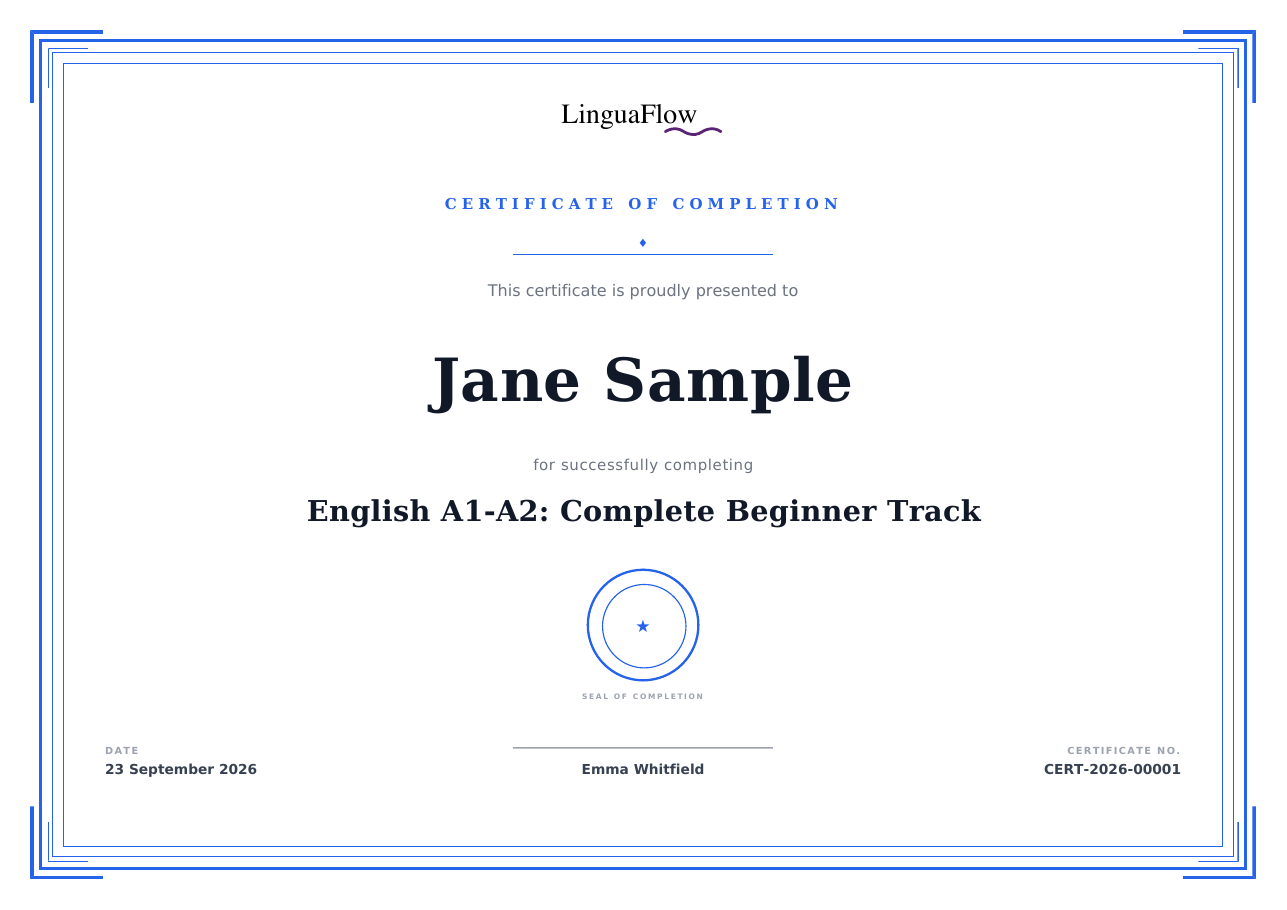
A completion record that produces itself is worth more than one someone has to remember to file.
Beyond these three, look for quizzes and assessments to confirm that learning landed, branding so the experience feels like part of your company, and a genuinely good mobile experience, since plenty of employees learn on phones and tablets. The more the platform reduces friction for both administrators and learners, the more your training actually gets used.
Security and data compliance requirements
Corporate training runs on employee data, and that raises the stakes on security and compliance. The records you store, who took which course, when, and how they scored, are personal data about your staff, so the platform that holds them has to protect them properly. This is an area where cutting corners is not worth the risk.
Start with the basics of data protection. For organisations in Europe, GDPR compliance and clarity on where data is hosted are central, and EU hosting is often preferred so employee data stays within a known legal framework. With any platform based outside your region, read the data processing terms carefully and understand exactly what happens to your data. If in doubt, involve your data protection officer or a qualified advisor.
The three questions to put to every vendor
Article 32 of the GDPR requires controllers and processors to implement appropriate technical and organisational measures for a level of security appropriate to the risk, and it names the examples explicitly: pseudonymisation and encryption, ongoing confidentiality, integrity, availability and resilience of the systems, the ability to restore access after an incident, and a process for regularly testing and evaluating those measures (Art. 32 GDPR). That gives you three concrete questions for any vendor: is the data encrypted at rest and in transit, how quickly can you restore it after an incident, and who tests these measures and how often.
The second thing to settle is how long training records are kept. Article 5 requires personal data to be kept in a form that allows identification for no longer than is necessary for the purpose (Art. 5 GDPR). For completion records that usually means the retention period your industry requires and not indefinitely, so ask whether the platform can delete or anonymise records of former employees.
Access control is the next layer. Not everyone should see everything: administrators, managers and learners need different levels of access, and the platform should let you set roles and permissions that reflect your organisation. Sensible defaults, secure authentication and the ability to restrict who can view reports and personal records all matter here.
Finally, think about the standard of evidence your industry expects. Some sectors have specific requirements for how training is recorded and retained, and the platform you choose has to support that rather than work against it. The honest position is that compliance is not something software alone guarantees, so confirm your specific obligations with a qualified person and then check that your chosen platform can meet them. This guide is general information, not legal advice.
Cost models: per user vs. flat rate
Pricing for an e-learning platform for corporate training usually comes in one of two shapes, and the difference can be dramatic at scale. The most common model is per user, where you pay for each active learner, often per month. The second is a flat rate, where you pay a fixed price regardless of how many employees you train. Understanding which one you are signing up for is essential to predicting your real cost.
What the two models cost at three sizes
| Learners | Per user at €5 per month | Flat plan at €149 per month | Difference per year |
|---|---|---|---|
| 50 | €250 | €149 | €1,212 in favour of flat |
| 250 | €1,250 | €149 | €13,212 in favour of flat |
| 1,000 | €5,000 | €149 | €58,212 in favour of flat |
Illustrative rates, not quotes. Per seat prices vary widely and enterprise deals are negotiated, so put your own numbers in. The shape of the curve is the point: one model is flat, the other is a straight line through your headcount.
Per user pricing can look attractive when your team is small, but it has a built in penalty for growth: every new hire and every additional learner increases the bill. For a company that is expanding, onboarding regularly or training a large workforce, those per seat costs add up quickly and can make the platform expensive precisely when you are using it most.
A flat rate model flips that incentive. Because the price does not rise with each learner, you can roll training out to the whole organisation without worrying that success will inflate your costs. For corporate training, where the goal is usually to reach as many employees as possible, predictable pricing that does not punish scale is often the more sensible foundation.
How the wider market prices this is compared in membership site software.
Whichever model you compare, look at the total cost rather than the headline number. Factor in setup, any limits on courses or storage, paid add ons for features you consider essential, and how the price behaves as your headcount grows. Build a simple projection for your expected number of learners over the next year or two, and confirm current pricing directly with each vendor, since plans change.
memberarea.io for corporate training
MemberArea is an all in one platform that brings courses, user management, community and automation together under a single login, which maps well to a lot of what corporate training needs. You build structured courses with your own branding, control the order and release of lessons, and track who has progressed through what, so onboarding and internal training run from one place rather than a patchwork of tools. The build itself is covered in how to create an online course, and releasing modules on a schedule in drip course content.
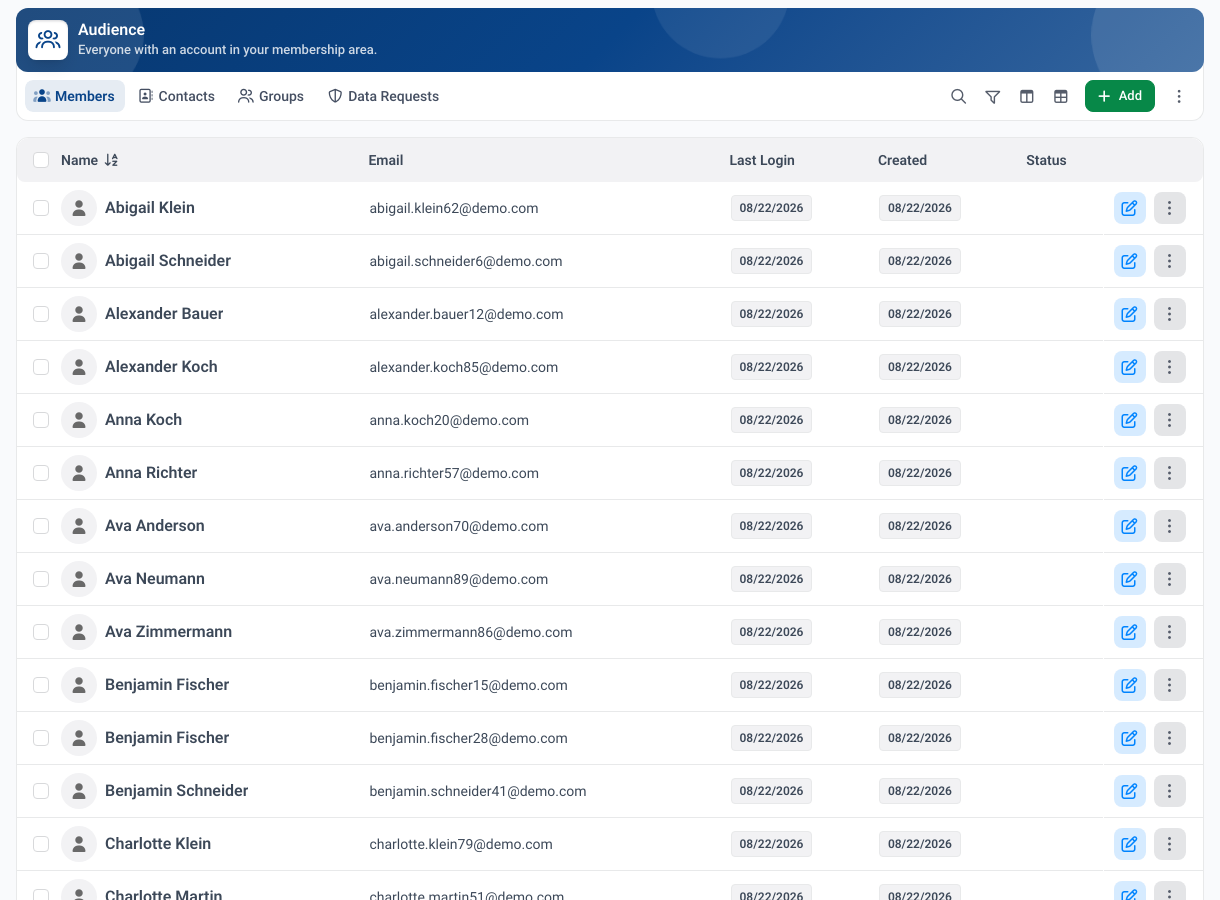
The same overview answers who still has a mandatory course open.
For organising people, you can group learners and assign the right content to the right teams, and automations handle the repetitive parts such as enrolling new employees and sending reminders, so administration stays light. A built in community adds a space for discussion and questions around the training, which helps knowledge stick and gives employees somewhere to turn when a course raises a question. The onboarding sequence around it is covered in member onboarding best practices.
On the points that matter most for employee data, hosting is in the EU with GDPR ready data handling, which is a meaningful advantage when the records you keep are about your own staff. Pricing is built around predictable plans with no per member fees, so you can train a growing workforce without per seat costs climbing as you scale. Current plans are on the pricing page.
The honest caveat is to match the platform to your specific compliance needs. If your organisation requires formal SCORM package import or a particular standard of certified, audited completion records, confirm those exact requirements before deciding, because the right fit depends on how strict your regulatory obligations are. For many companies digitising onboarding and internal training, an all in one platform that keeps courses, people and reporting together is a strong and cost effective foundation.
Frequently asked questions
What is the most important feature in an e-learning platform for corporate training? It depends on your goal, but reliable progress tracking and reporting are near universal. If you cannot prove who completed what, the platform cannot do its core job. After that, easy authoring and solid user management matter most day to day.
Do I need SCORM support? Only if you already use SCORM based content or buy off the shelf courses that require it. Many organisations build their training natively in their platform and never need SCORM. If you do, confirm exactly which standards a vendor supports before committing.
Is per user or flat rate pricing better? For most corporate training, where the aim is to reach the whole workforce, a flat rate is easier to predict and does not penalise growth. Per user can suit very small or tightly scoped programs. Compare total cost across your expected headcount, not the headline price.
How do we keep employee training data compliant? Choose a platform with clear data terms and, where relevant, EU hosting and GDPR ready handling, set proper access controls, and confirm your specific obligations with a qualified advisor. Software supports compliance, but the legal responsibility stays with your organisation.
Define your outcomes, weigh the must have features against your real needs, check security and compliance carefully, and compare cost models on total spend rather than headline price. Then test your shortlist with a real course and real learners before you commit. Run your corporate training on MemberArea and bring courses, people and reporting together in one place.



Ready to build your membership?
Try it free for 14 days. No credit card, no setup fees. Launch in minutes.
No credit card required · Cancel anytime