
Blog
Best Membership Site Software 2026: 7 Tools Compared
7 membership platforms compared with real prices: yearly costs at 100 to 2,500 members, platform fees per sale, and which tool fits which membership.
Tool comparisonsChoosing membership site software is one of the most consequential decisions a creator makes. The platform shapes how professional your site looks, how smoothly people pay, whether members stay engaged and how much of your revenue actually reaches you. Pick well and the tool fades into the background. Pick in a hurry and you can spend months migrating later, which always costs time and loses a few members along the way.
This comparison covers the best membership site software in 2026, including what each one costs over a year, which type of membership it suits and where the WordPress route still makes sense. Feature sets and prices change often, so every figure carries the date it was checked and a link to the source. Use this to shortlist two or three platforms, then test them with your real content.
The short answer
The best membership site software depends on the shape of your membership. For the most common shape, courses plus a community, memberarea.io covers everything in one bill from €39 a month with no fee per sale. Community-only memberships fit Circle or Skool, course-only ones Teachable or Memberspot, and owners of an established WordPress site should price out a membership plugin before moving anywhere.
- Yearly subscriptions in this comparison run from €468 (MemberArea) to $2,988 (Kajabi Growth), paid monthly.
- Platform fees change the ranking: 7.5% on $60,000 of yearly sales is $4,500, more than any subscription here.
- Membership software has three jobs: access control, recurring payments that survive failed cards, and a first ten minutes worth paying for.
- Every price was checked on 6 September 2026 and links to its source.
In this guide: price table · which type you are building · the platforms · yearly costs · verdict · FAQ
The providers at a glance
| Provider | Entry plan per month | Mid plan | Platform fee per sale | Worth knowing |
|---|---|---|---|---|
| memberarea.io | €39 (Starter, 100 members) | €119 (Professional, 2,500 members) | none | Courses, community, email, events, affiliate, website |
| Kajabi | $179 (Basic, 2,500 contacts) | $249 (Growth, 25,000 contacts) | 2% with an external gateway on Basic | Basic capped at 5 products |
| Teachable | $39 (Starter, 5 products) | $89 (Builder, 10 products) | Starter 7.5%, 0% from Builder up with Teachable's own checkout | Starter limited to 1 admin |
| Circle | $89 (Professional, billed annually) | $199 (Business, billed annually) | 2% or 1% on top of Stripe | Community first, courses secondary |
| Memberspot | €49 (Starter, 100 members) | €119 (Grow, 2,500 members) | none, Stripe fees apply | German speaking market focus |
| Skool | $9 (Hobby) | $99 (Pro) | Hobby 10%, Pro 2.9% | One community per plan |
| Podia | $49 (Mover) | $99 (Shaker) | Mover 5%, 0% above | Email contacts capped per plan |
Prices checked on 6 September 2026, as published by each provider and excluding payment processor fees (Stripe and PayPal add roughly 2.9 percent plus a fixed amount per transaction). Note that the limits are not comparable one to one: Kajabi counts email contacts, Teachable counts published products, MemberArea and Memberspot count members. Always confirm the current figures on the linked page.
What membership site software actually has to do
Every platform in this comparison sells itself on features. In practice a membership stands or falls on three jobs, and everything else is decoration.
Access control that survives contact with reality
The software has to know, at every moment, who is allowed to see what. That sounds trivial until you add a second tier, a trial, an annual plan running alongside a monthly one, a member who upgrades mid-cycle and one whose card fails. Ask any candidate how it handles a downgrade: whether access ends immediately or at the end of the paid period tells you how carefully the system was built.
Recurring payments, including the ones that fail
Roughly one in ten card payments on a subscription fails at some point, usually because the card expired. What the platform does next decides whether that member is lost. Look for automatic retries, a self-service page where members update their card, and dunning emails you can edit. A platform without failed-payment handling quietly leaks revenue every month. Our guide to running a membership site on Stripe walks through what that looks like in practice.
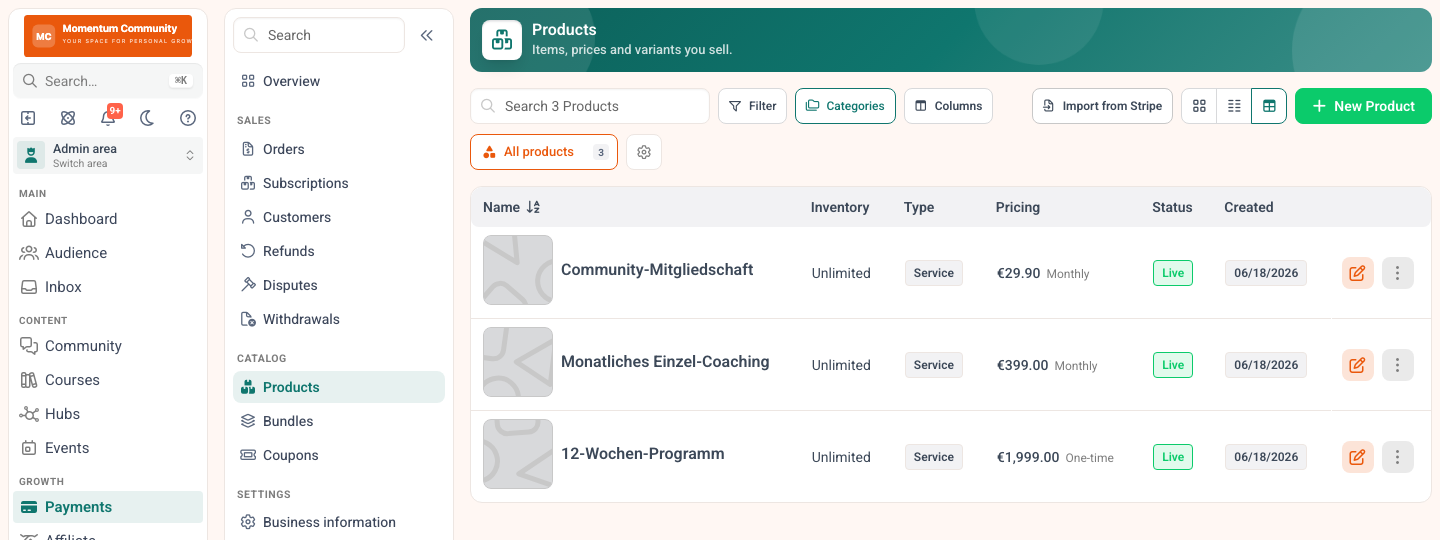
One-off products and recurring plans live in the same catalogue, so an upgrade is a plan change rather than a new checkout.
A member experience worth paying for
Members judge your membership by the first ten minutes: signup, payment, login, and finding the thing they paid for. Every extra click there costs you renewals later. Test that path yourself on any shortlist, on a phone, as a real paying customer rather than as an admin.
Which type of membership are you building?
This is the question that narrows the field faster than any feature table, because the platforms are genuinely built for different shapes of business.
The community membership
People pay for access to each other and to you. The content is secondary, the conversation is the product. You need strong discussions, spaces, events, notifications and a mobile experience that keeps people coming back daily. Circle and Skool are built for this shape, and our walkthrough on building an online community from scratch covers the work that no platform does for you.

In a community membership this thread is the product, not a nice-to-have next to the course.
The course membership
People pay for a structured curriculum with a beginning and an end. You need lessons, progress tracking, quizzes, certificates and drip release. Teachable and Memberspot fit here, and so does Kajabi at a higher price. If the curriculum itself is still open, start with how to create an online course before you pick the software.
The hybrid
Courses plus a community, usually with live calls and email on top. This is the most common shape for coaches and the hardest to serve with a single-purpose tool, which is why hybrids often end up paying for three subscriptions. All-in-one platforms exist for this case: MemberArea and Kajabi both cover it in one bill.
The content subscription
Members pay monthly for a stream of new material: templates, reports, recordings, downloads. What you need most is reliable access control, a clean archive and painless recurring billing. Almost every platform here can do it, so choose on cost and on how quickly you can publish.
What to look for in membership site software
Once you know your shape, judge each option against your own situation rather than against marketing copy.
- Scope: does it cover courses, community, email and payments, or will you bolt on extra tools?
- Total cost: subscription at the tier your member count requires, plus any platform fee on sales.
- Payments: subscriptions, upgrades, failed-payment handling and the payment methods your audience uses.
- Data location: EU hosting and a data processing agreement matter for European audiences.
- Ease of use and migration: how quickly can you launch, and how easily can you move in?
- Exit: can you export members, content and payment data if you decide to leave?
Score each platform from one to five on the points that matter most to you. That turns a gut feeling into a decision you can defend in six months.
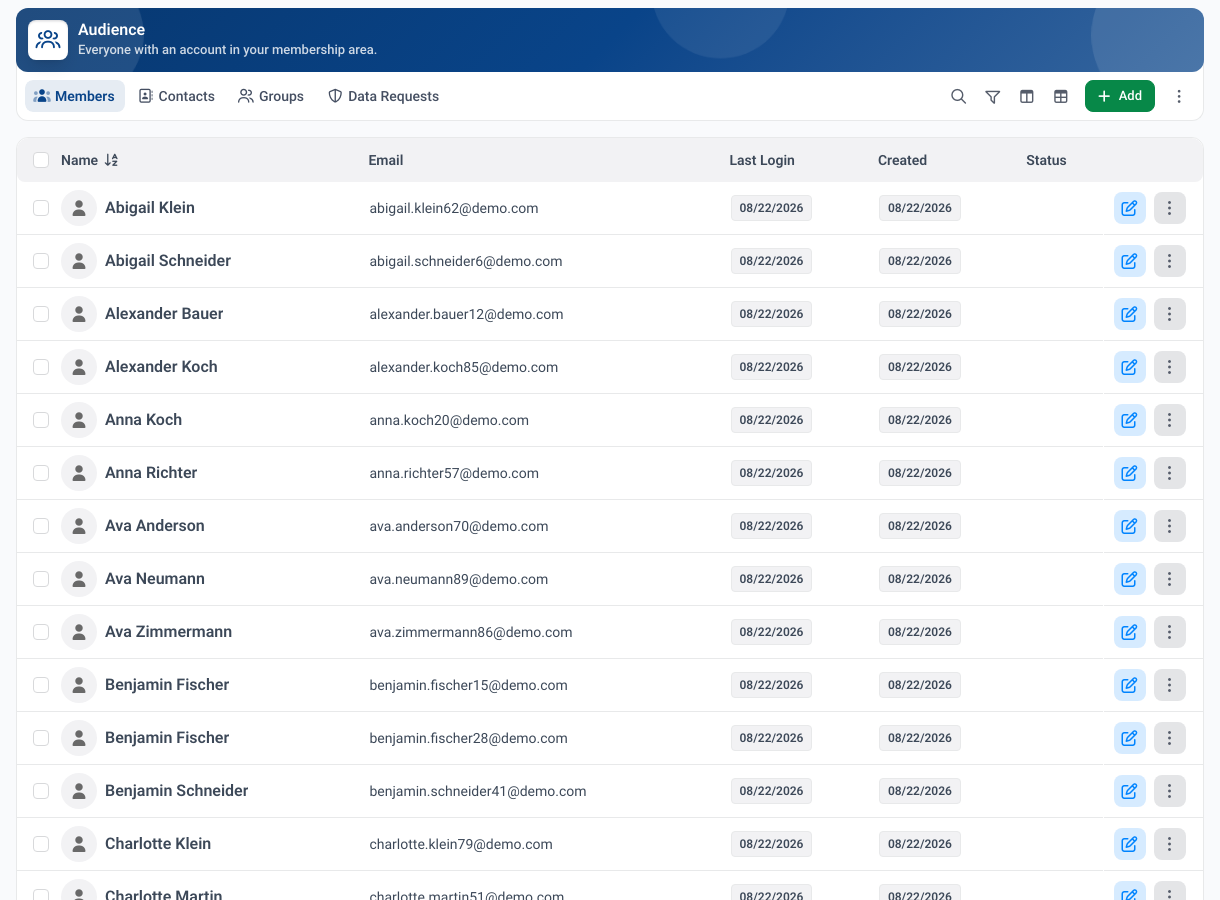
The member list with an engagement status per member.
MemberArea: all-in-one and EU friendly
What it does well
MemberArea brings courses, community, email marketing, automations and Stripe payments together in a single login, hosted in the EU. Payments run through your own Stripe account, so there is no platform cut and no per-member fee. Because courses, community and members share one database, a single profile shows what someone bought, how far they got and what they posted.
Where it falls short
It is younger than the US incumbents, so the ecosystem of templates, agencies and third party training is smaller. If your membership is purely a community with no courses and no selling, a focused tool will feel lighter.
Best for
Hybrid memberships that would otherwise pay for three tools, especially with a European audience. Check current plans on the pricing page.
Kajabi: full featured but premium
What it does well
Kajabi is a mature platform with a deep feature set spanning courses, marketing, email, funnels and payments, plus one of the largest ecosystems in this market. If you want a single tool that can run an entire marketing engine, it is the most complete option here.
Where it falls short
Price is the obvious one: $179 a month for Basic is $2,148 a year, and Basic caps you at five products. The less obvious cost is complexity, since a platform that does everything asks more of you to set up and learn.
Best for
Established creators with real marketing volume, where the subscription is small next to the revenue it supports. If the price is what sent you looking, our roundup of the best Kajabi alternatives runs the same numbers over seven platforms.
Circle: community first
What it does well
Circle is a polished community platform with strong discussions, spaces, events and a branded feel that members enjoy. For memberships where interaction is the product, the experience is among the best available.
Where it falls short
Courses are lighter than on dedicated course platforms, the Professional plan takes 2 percent of sales, admin seats are capped, and at $89 a month on annual billing it is one of the more expensive entry points here.
Best for
Community memberships where the course, if there is one, is a bonus rather than the offer. We put the community tools head to head in our guide to the best Circle alternatives.
Teachable: courses first
What it does well
Teachable is easy to start with and dependable for selling structured courses, with a clean student experience and a long track record.
Where it falls short
The $39 Starter plan takes 7.5 percent of every sale, which costs more than the $89 Builder plan once you pass roughly $670 in monthly revenue. Community is light and there is no deep integrated CRM, so most growing memberships add separate email and member management tools.
Best for
Course-led memberships that will move to Builder quickly and keep marketing in a separate tool.
Memberspot: DACH focused
What it does well
Memberspot is a course and membership platform built for the German speaking market, from the interface language to local expectations around invoicing and data protection. Pricing is close to MemberArea's, with €49 entry and €119 at 2,500 members.
Where it falls short
The focus is squarely on course delivery, so community, email marketing and events are thinner than on an all-in-one platform. Memberspot takes no cut of a sale itself, so only Stripe's own fees apply.
Best for
German speaking course businesses that want a local provider and do not need a community layer.
Skool: simple and affordable
What it does well
Skool is deliberately minimal: one community, a simple classroom, a leaderboard and a calendar. Setup takes an afternoon and members understand it immediately.
Where it falls short
The $9 Hobby plan takes 10 percent of sales, the highest cut in this comparison, which makes it dearer than the $99 Pro plan once you pass roughly $1,300 a month. Course structure is basic, there is no built-in email marketing, and each plan covers a single community.
Best for
Validating a first paid community before investing in a platform.
WordPress plus a membership plugin
No honest comparison of membership site software can skip WordPress, because it still runs a large share of the memberships on the internet. The route is a WordPress site plus a membership plugin such as MemberPress, Paid Memberships Pro or WooCommerce Memberships.
What it does well
Control and ownership. You host it, you own the data, and you can bend it into shapes no hosted platform allows. If you already run a WordPress site with traffic and an audience, adding memberships to it is often the cheapest and most natural path.
Where it falls short
The bill is a sum, not a number: hosting, the membership plugin licence, usually a course plugin, an email plugin, a page builder, backups and security. Each piece updates on its own schedule, and when a plugin update breaks checkout it is your evening, not a support ticket. Budget for maintenance in hours as well as in money.
Best for
Technically confident owners of an existing WordPress site who want maximum control and are willing to maintain the stack. Check current licence costs on each plugin's own site, since they change and often renew at a different rate than the first year.
What a year costs at three sizes
Headline prices are monthly and per plan, which makes them hard to compare. Here is the yearly subscription for each platform at the tier the member count actually requires, paid month to month.
| Platform | 100 members | 1,000 members | 2,500 members |
|---|---|---|---|
| memberarea.io | €468 | €1,428 | €1,428 |
| Memberspot | €588 | €1,428 | €1,428 |
| Teachable | $468 plus 7.5% of sales | $468 plus 7.5% of sales | $468 plus 7.5% of sales |
| Skool Pro | $1,188 | $1,188 | $1,188 |
| Circle | $1,068 plus 2% | $1,068 plus 2% | $1,068 plus 2% |
| Kajabi | $2,148 | $2,148 | $2,988 |
Subscription only, paid monthly, based on published plans on 6 September 2026. Annual billing typically reduces these by around twenty percent, and Circle publishes only its annual rate, so its figure is already the annual one. Teachable, Skool and Circle do not cap member numbers, so one plan covers every column; Teachable caps published products instead, and moving to Builder at $1,068 a year removes the 7.5 percent fee. Platform fees on sales are noted where they apply and are not included in the totals. WordPress is left out because its cost depends entirely on which plugins you choose.
Two things stand out. Among the platforms that take no percentage of your sales, the gap between the cheapest and the most expensive at 2,500 members is roughly a factor of two, which is smaller than the marketing suggests. And the percentage on sales, where it applies, frequently exceeds the subscription itself: 7.5 percent on $60,000 of yearly revenue is $4,500, more than any subscription in the table.
Which platform wins overall?
There is no universal winner, only the right fit. Work through it in this order.
If your membership is a community and nothing else, choose Circle for polish or Skool for price. If it is a course and nothing else, choose Teachable, or Memberspot in the German speaking market. If it is both, and it usually is, an all-in-one platform is cheaper and simpler than three subscriptions: MemberArea for predictable costs and EU hosting, Kajabi if you also need a full marketing engine and the budget for it. If you already run a WordPress site with traffic, price out the plugin route before you leave it.
Shortlist two or three, then test them with your real content during a free trial, all the way through payment on a phone. Start free on MemberArea and see whether one platform for courses, community and payments fits the way you work.
Frequently asked questions
What is the best membership site software? It depends on the shape of your membership. For hybrids of courses and community with predictable pricing, MemberArea is a strong choice. Kajabi suits premium budgets, Circle suits community-led memberships, and Teachable suits course-led ones.
Do I need separate tools for courses, community and email? Not with all-in-one software. A combined platform covers them in one place. Course-first or community-first tools usually need add-ons to fill the gaps, and three subscriptions frequently cost more than one all-in-one plan.
How much does membership site software cost? Entry plans run from around €39 to $179 a month, which is roughly €468 to $2,148 a year. Add any platform fee on sales, which on the cheapest tiers can exceed the subscription itself.
Is WordPress good enough for a membership site? Yes, if you are comfortable maintaining it. A membership plugin on an existing WordPress site is often the cheapest route, but the real cost includes hosting, several plugin licences and the time you spend when an update breaks something.
What happens when a member's card fails? Good platforms retry automatically, email the member and offer a self-service page to update the card. Ask about this before you sign: without it, every expired card is a cancelled membership you never hear about.
Can I move my membership site to another platform later? Yes, though it is rarely quick. Export members, content and your email list first, rebuild in parallel, and clarify early what happens to active recurring subscriptions, which is the part that carries real revenue risk.
Which membership platforms host in the EU? MemberArea hosts in the EU and offers a data processing agreement, and Memberspot serves the German speaking market. With US based platforms, read the data processing terms and check with a qualified advisor if most of your members are European.
Final thoughts
The best membership site software is the one that matches the shape of your membership, not the one with the longest feature list. Decide whether you are building a community, a course or a hybrid, add up subscription plus platform fee at the size you expect next year, and confirm data handling directly with each provider. Then test your shortlist with real content before you commit. Start free on MemberArea and find out whether it is the right home for your membership.



Ready to build your membership?
Try it free for 14 days. No credit card, no setup fees. Launch in minutes.
No credit card required · Cancel anytime