
Blog
Upsells and Downsells for Online Courses: A Practical Guide
Add upsells and downsells to your online course checkout: order bumps, post-purchase upsells, what to offer and when a downsell wins back a sale.
MonetizationThe most expensive way to grow is to keep buying new traffic. The cheapest is to earn more from the buyers you already have. That is exactly what upsells and downsells do. Someone who is already pulling out their card trusts you and is far more open to a relevant add-on than a cold prospect ever will be. Adding an upsell to your online course is one of the fastest ways to lift revenue without finding a single new customer.
This practical guide explains what upsells and downsells are, the difference between an order bump and a post-purchase upsell, what makes a good offer, when a downsell wins back a sale, and how to set it all up on your platform.
The short answer: one small add-on at checkout, one bigger offer after the payment clears, and one gentler alternative if that bigger one is declined. Three offers, each at its own moment, and nothing else.
What an upsell for an online course actually is
An upsell offers the buyer something more valuable at the point of purchase: a premium version, an extra course, coaching or a bundle. A downsell is the opposite move, a smaller or cheaper alternative offered when someone declines the upsell, so you still capture a sale instead of losing it entirely. Together they help you meet buyers wherever they are.
Both serve the same goal: increasing the value of each customer, often measured as average order value. This single number is one of the most powerful levers in any business. If you sell to a hundred people, it makes an enormous difference whether each spends fifty or eighty on average, and that difference comes at no extra cost of acquisition.
What average order value actually does to the maths
The number to watch is what each buyer spends on average. Take 100 buyers of a €297 course, which is €29,700. Now add a €97 order bump that 20 percent accept, which is €1,940, and a €297 post-purchase upsell that 10 percent accept, which is another €2,970. Total €34,610, from the same 100 buyers and the same traffic. The acceptance rates are illustrative, but the structure is the point: these are the only euros in your business that arrive without a single extra visitor.
The mindset matters as much as the mechanics. A good upsell for an online course is not pushy, it is helpful. You offer exactly what helps the buyer reach their goal faster or more completely. When the add-on genuinely adds value, buyers experience it as a useful recommendation, not pressure. That is the line between upselling that builds trust and upselling that erodes it.
It also helps to think in terms of the buyer's journey rather than your catalog. At the moment of purchase, the buyer has just committed to a goal. The best upsell simply removes the next obstacle between them and that goal, which is why relevance beats a discount every time.
Order bump vs. post-purchase upsell
There are two main moments to make an offer, and they work differently. An order bump is a small add-on right on the checkout page, usually a checkbox the buyer can tick to add something for a little more. Because they are already buying, the friction is almost zero, which makes order bumps ideal for small, obviously relevant extras.
A post-purchase upsell appears immediately after the main purchase is complete, often on the thank-you page. Its great advantage is that the original sale is already done, so there is no risk of losing it. Even if the buyer declines, you keep the first purchase. This makes the post-purchase slot the right place for a bigger offer, like an upgrade or a coaching add-on.
Timing is the real difference between the two. The order bump catches buyers while their decision is fresh and their card is out. The post-purchase offer catches them in the glow of a decision already made, when they are most open to going one step further.
The two are not either-or. A common, effective pattern is a small order bump at checkout plus one clear post-purchase upsell afterward. The key is restraint: one clear offer at each moment converts far better than a pile of options that overwhelm the buyer. See how an order bump looks at checkout on the checkout page.
The three moments, side by side
| Order bump | Post-purchase upsell | Downsell | |
|---|---|---|---|
| Where it appears | on the checkout page | after payment, on the thank-you page | after the upsell is declined |
| Risk to the main sale | small, it sits next to the decision | none, the sale is already done | none |
| Right size of offer | small and obvious | the biggest one you have | lighter or split into instalments |
| Typical example | a template pack | coaching, or the premium tier | one session instead of five |
One offer per moment. Two offers competing in the same slot reliably convert worse than one.
The one rule an order bump must not break
An order bump has to be actively chosen, never pre-ticked. In Germany, which implements the EU Consumer Rights Directive here, section 312a(3) of the Civil Code states that an agreement on any payment beyond the agreed price for the main service can only be made expressly, and in electronic commerce such an agreement only becomes part of the contract if the trader did not bring it about through a default setting (§ 312a BGB). A pre-ticked checkbox is exactly that default setting. Leave the box empty and let the buyer tick it.
If the add-on renews, there is a second layer. In the United States the FTC's Negative Option Rule covers offers where a consumer's silence or inaction counts as acceptance, and it is aimed at recurring charges people did not intend to order and at cancellation made harder than signing up (FTC Negative Option Rule). A recurring VIP tier sold as an upsell falls squarely into that territory, so state the price, the interval and how to cancel right next to the offer.
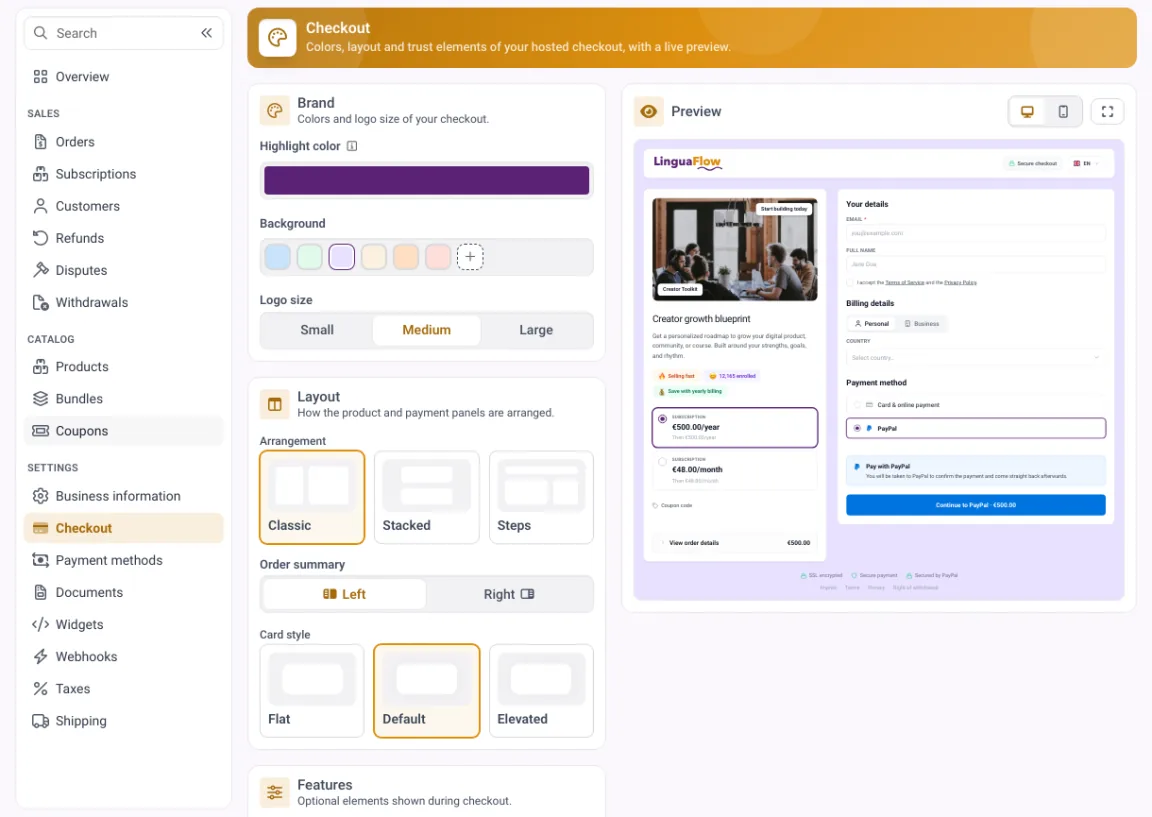
The bump lives on this page, which is why checkout design and offer design are the same job. The page that leads here is covered in sales page for an online course.
What to offer as an upsell
The best upsell is the obvious next thing the buyer needs. If they just bought a course, what would help them succeed with it or go further? These offers tend to work well for online courses:
- The upgrade: A premium version of the same course with more modules, templates or longer access.
- A coaching add-on: One or more personal sessions layered onto a self-paced course for individual help.
- A complementary course: A related course that builds on the one they just bought.
- A template or toolkit: A cheap, immediately useful resource, perfect as an order bump.
- VIP or community access: A higher tier with live calls, a community or direct access to you.
Whatever you choose, it must be relevant and genuinely valuable. An upsell that feels random or self-serving hurts trust. The rule never changes: the add-on should help the buyer reach their goal, and then both sides win. You can build these courses and offers as shown on the courses page.
| Offer | Best slot | Rough price relative to the course |
|---|---|---|
| Template or toolkit | order bump | 10 to 30 percent |
| Premium version of the same course | post-purchase | 50 to 100 percent |
| Complementary course | post-purchase | 60 to 100 percent |
| Coaching add-on | post-purchase | 100 percent or more |
| VIP or community tier | post-purchase, or as a recurring add-on | a monthly fee alongside |
Price ranges are a starting point, not a rule. The base price they attach to is the subject of how to price an online course, and a recurring tier turns into the model described in recurring revenue for course creators.
When in doubt, ask your existing customers what they wished they had right after buying. Their answers point straight at your best upsells, because they describe the gap they actually felt. You are not inventing an offer, you are filling a need they already named for you.
When downsells make sense
Not everyone will say yes to your upsell, and that is where the downsell comes in. When a buyer declines a more expensive offer, a downsell presents a smaller, more affordable version instead. Maybe they were not ready for the full premium upgrade, but a lighter version or a payment plan makes the yes possible.
Downsells work because a no to one offer is not a no to everything. The buyer was interested enough to consider it, so a gentler option often converts. A downsell might be a single coaching session instead of a package, the core course without the premium extras, or the same offer split into installments to lower the upfront cost.
An instalment plan is a downsell
The most reliable downsell is not a smaller product, it is the same product paid differently. A €497 upgrade declined once often converts as three payments of €179, which is €537 in total and covers the extra processing and the risk of a plan that stops early. How that runs technically is covered in Stripe for a membership site, including what happens when an instalment fails.
Used well, downsells recover revenue you would otherwise leave on the table, without any extra traffic. Keep them simple and genuinely lower-commitment, not a confusing maze of fallback offers. One thoughtful downsell after a declined upsell is usually all you need to capture buyers who almost said yes.
Setting up upsells on your platform
The best upsell strategy fails if it is a pain to run. To work, upsells and downsells need to be built into your checkout and course flow, so a buyer can accept an offer with a single click and get instant access, with no second checkout. That seamless experience is what makes people say yes.
Automation matters too. Once your order bumps, post-purchase upsells and downsells are set up, they run on every sale around the clock without you lifting a finger. You can also tailor offers to behavior, showing the right next step based on what someone bought. How these flows are built is shown on the automations page.
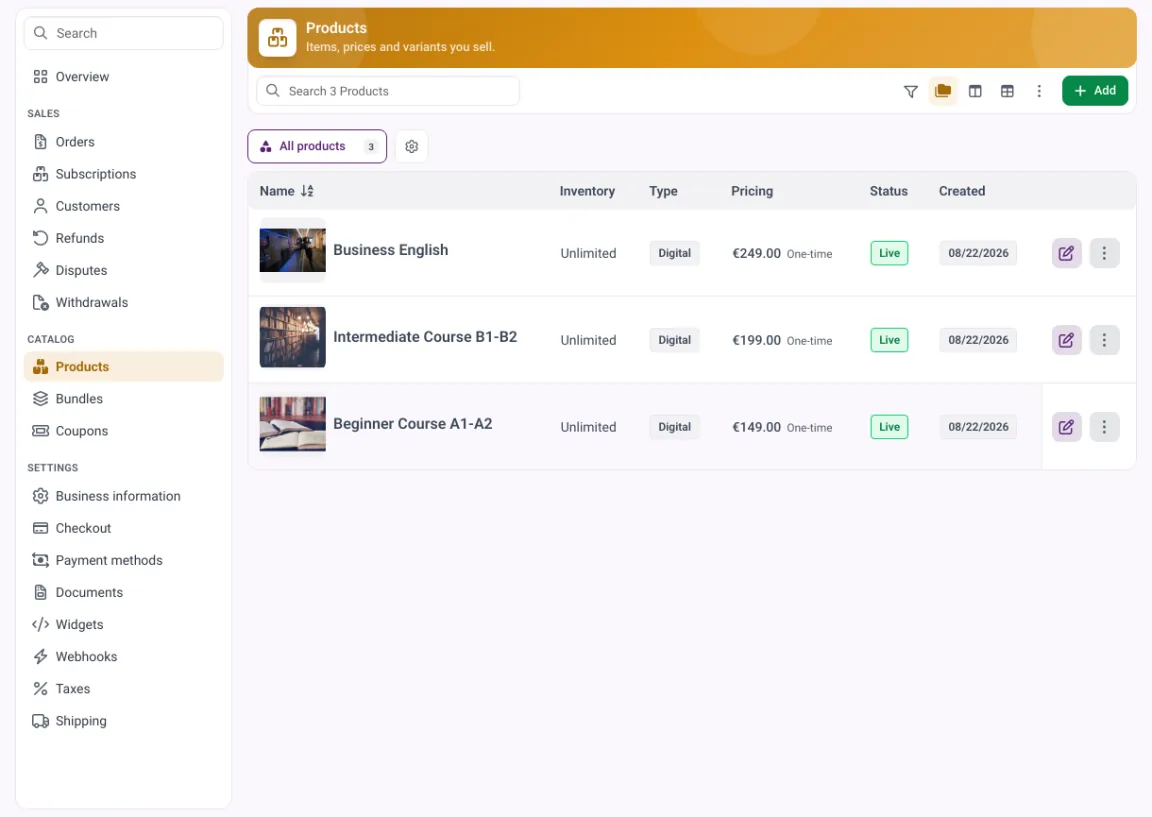
Every upsell is a product in its own right, which is what makes it measurable.
The three numbers to track per offer
Track the numbers for each offer: how many see it, how many accept, and how it moves your average order value. Small changes to wording, price or placement can shift acceptance noticeably, and because the offer is automated, every improvement compounds across all your future sales.
The trap to avoid is stitching this together with disconnected tools, which creates friction and lost data. When upsells live in the same system as your courses and checkout, every accepted offer is applied and unlocked automatically, and you can see exactly which offers convert. That visibility lets you improve your offers over time instead of guessing. Discounts interact with all of this and have their own rules, collected in coupon strategy for an online course.
Add upsells to your checkout on memberarea.io
To make an upsell for your online course actually work, your course, checkout, offers and automation have to work together. On memberarea.io you set up order bumps, upgrades, post-purchase upsells and downsells right where your course and checkout already live. Buyers add offers with one click and get instant access, with no second payment step.
Because everything lives together, you can see which upsells get accepted and how your average order value moves, then test and adjust without another tool. Learn more about building your course on the courses page and see the plans on the pricing page.
Add upsells to your checkout on memberarea.io and earn more from every buyer without buying more traffic. Try memberarea.io for free and add your first offer to your course.
Frequently asked questions
Will upsells annoy my buyers? Only if the offer is irrelevant. An add-on that genuinely helps is experienced as a useful suggestion. Relevance and timing matter far more than the mere fact of making an offer.
How many upsells should I add? Fewer is better. One clear order bump and one post-purchase offer usually beat a stack of options. Too many choices overwhelm buyers and lower acceptance.
Do upsells work for low-priced courses? Yes, especially then. A cheap entry course pairs perfectly with an order bump or an upgrade to offset the low first price and lift your average order value.
Conclusion
Upsells and downsells are the most direct way to earn more from the buyers you already have. Understand the difference between the two, use order bumps at checkout and one clear post-purchase upsell, offer add-ons that genuinely help, recover near-misses with a simple downsell, and build it all into a connected checkout so it runs automatically.
Start with a single, clearly relevant upsell and build from there. Try memberarea.io for free and add upsells where your course and checkout already live.



Ready to build your membership?
Try it free for 14 days. No credit card, no setup fees. Launch in minutes.
No credit card required · Cancel anytime