
Blog
How to Automate Your Online Course Business with Zapier
Automate your online course with Zapier: five essential automations from CRM updates and welcome emails to certificates, reminders and re-engagement.
Automation and techRunning an online course business means a hundred small tasks that quietly eat your week: moving data between tools, sending welcome emails, issuing certificates, chasing inactive students. Each takes only a minute, but together they cost hours. Zapier is the tool that makes them disappear. When you automate your online course with Zapier, events in your platform trigger actions in hundreds of other apps automatically, with no code and no manual work.
This guide walks through five essential automations every course creator should set up, then shows how to connect everything to your platform so these flows run reliably in the background.
Best of all, this is work you do once. A well-built automation keeps running month after month, getting more valuable with every new student, while you have long since moved on to other things.
The short answer: automate the five moments where a person changes state, joining, buying, finishing, registering and going quiet. Use your platform's own automation for anything that happens inside it, and Zapier only to reach tools that live outside.
Why automate your online course with Zapier
Before the specific automations, it helps to see the bigger picture. Zapier connects apps that otherwise know nothing about each other. A trigger in one app starts an action in another, and these connections, called Zaps, run around the clock without you lifting a finger. For a course creator, that turns repetitive admin into something that simply happens.
The payoff is twofold. First, time: every task you automate is time returned to teaching, creating or marketing. Second, reliability: an automation never forgets, never gets tired and never makes a typo, so nothing falls through the cracks no matter how busy you are. The result is a business that feels bigger and more professional than the hours you put in.
It is worth noting that these automations compound. One reliable flow saves a little time, but five running together quietly transform how your business feels to run. What used to require your constant attention now happens on its own, freeing you to focus on the work only you can do.
What the five automations actually do
| Trigger | What happens next | What it saves you |
|---|---|---|
| New member | contact created or updated in the CRM | copying details by hand, and the ones you forget |
| Purchase | welcome email with the first step | the confused first hour and the refund it causes |
| Course completed | certificate, congratulations, next offer | the best selling moment you would otherwise miss |
| Webinar signup | reminder sequence, then replay | registrants who simply forget |
| No activity for X days | a friendly check-in | members drifting out unnoticed |
Five triggers, five people-moments. Everything else is decoration.
Counting the time before you build
Put a number on it first, because it decides where to start. If adding a new member to the CRM by hand takes five minutes and you get 40 new members a month, that is over three hours monthly on one task alone. Two more tasks of the same size and you are close to a full working day every month. The figures are yours to fill in, but do fill them in: the automation worth building first is almost never the most interesting one, it is the most frequent one.
You also do not need to choose between Zapier and your platform's own tools. The smartest setups use built-in automation for internal flows and Zapier to reach the wider world of external apps, so each does what it does best.
The goal is not to automate everything at once. Start with the tasks that cost you the most time or that you most often forget. When you automate your online course with Zapier one flow at a time, the benefits compound, and within a few weeks a noticeable chunk of your admin runs itself.
Automation 1: New member updates your CRM
When someone joins or buys, their details should land in your CRM automatically, with no copying by hand. The trigger is a new member in your platform, the action is creating or updating the contact in your CRM. This keeps your contact base complete and accurate, which is the foundation for every later message you send. How an integrated CRM looks is shown on the CRM page.
The real win here is reliability. A contact added by hand is a contact you might forget on a busy day. An automated entry never slips through, so your list stays whole and you can tag or segment each new member from the very start.
This works no matter how someone arrives, whether through a course, a webinar or a form. Every path leads to the same clean, central record, so you never again wonder where a particular contact ended up. What that record should hold is covered in CRM for an online course business.
Automation 2: Purchase sends a welcome email
The first moments after a purchase shape the whole experience. An automatic welcome email that goes out the instant payment clears greets the new student, sets expectations and points them to the first step. Set it up once and every buyer gets the same warm, immediate start, which reduces confusion and refund requests alike.
You can personalize the email with the buyer's name and product, and follow it with a second message that answers common questions or links to the first lesson. The student feels looked after from minute one, without you writing a single message manually.
Automation 3: Course completion triggers a certificate and upsell
Finishing a course is a moment of pride and motivation, the perfect time to act. This automation fires when a student completes the course: it can issue a certificate, send a congratulations email and present the natural next offer, like an advanced course or coaching. Because the student just succeeded, the upsell feels like a fitting next step rather than a pitch. You can build follow-up courses as shown on the courses page.
You can also branch this flow based on behavior. A student who finished everything is ready for a bigger offer, while one who stalled might need a nudge to complete first. Tailoring the follow-up to where each person actually is makes the next step land far better. Which offer belongs at this moment is the subject of upselling an online course.
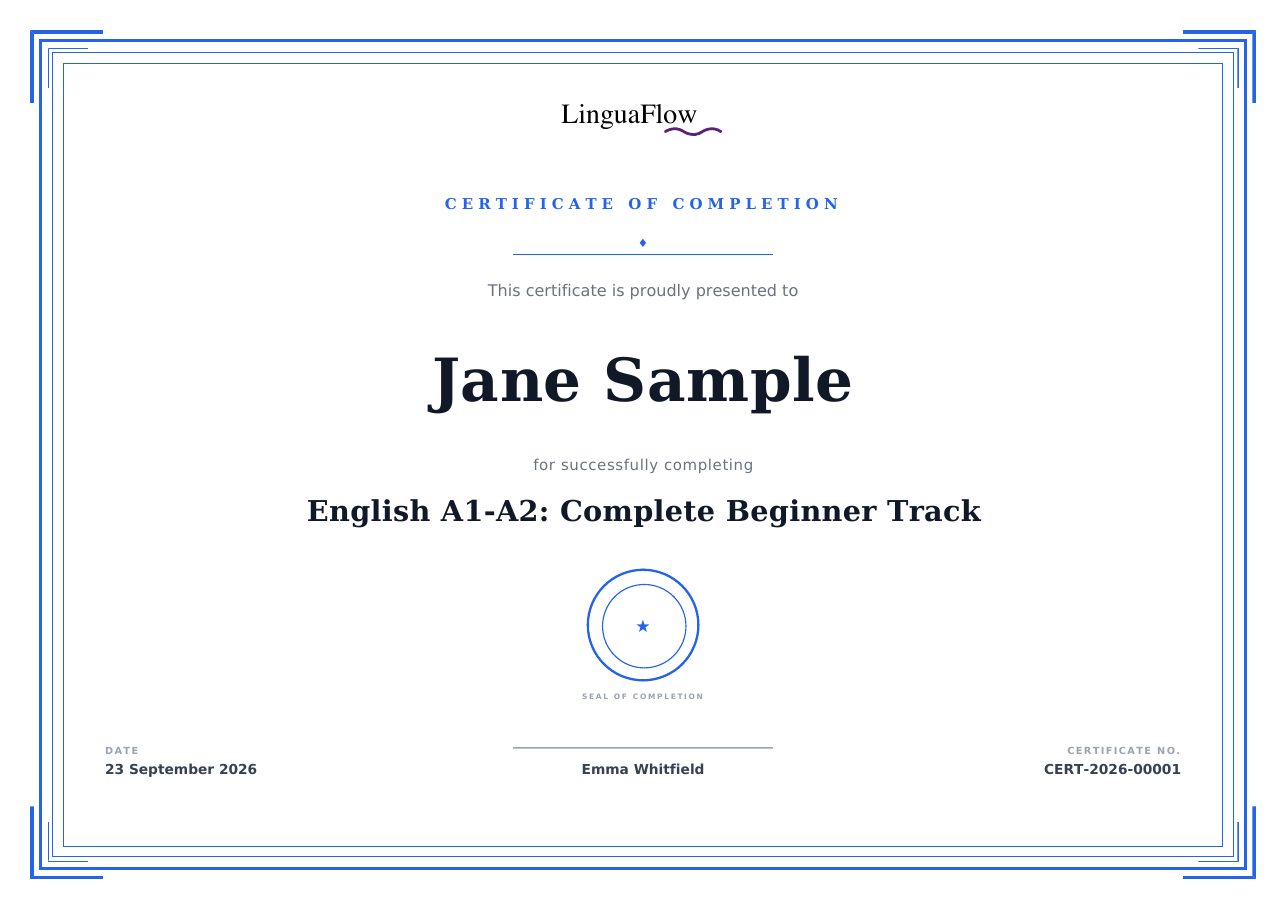
The certificate is the part the student shares. That makes completion a marketing event, not just an internal one.
Automation 4: Webinar signup starts a reminder sequence
Many people who register for a webinar simply forget to show up. This automation triggers on a webinar signup and starts a sequence of reminders, the day before and shortly before the event. It lifts attendance noticeably, and you set it up just once so every new registrant flows through it automatically.
Beyond reminders, you can automatically send the recording and a relevant offer after the webinar, and give no-shows their own message with the replay. That way you capture value from everyone who registered, not just those who attended live.
Automation 5: Inactivity triggers re-engagement
Students who go quiet are at risk of leaving, but they are far cheaper to win back than new ones are to find. This automation watches for inactivity and, after a set period, triggers a re-engagement message that reminds the student of the value waiting for them and nudges them to return. Catching people before they fully drift away protects both their results and your revenue.
Keep the tone helpful rather than guilt-tripping. A friendly check-in that points to something genuinely useful works far better than a pushy reminder. You can also branch by how long someone has been away, escalating gently only if the first nudge goes unanswered.
What counts as inactive depends on your course, and the drop-off patterns behind it are covered in online course completion rates.
Winning back an existing student is almost always cheaper than finding a new one. They already know and trust you, so a single well-timed message often brings them back, protecting revenue you would otherwise quietly lose.
Setting up Zapier with memberarea.io
To automate your online course with Zapier effectively, your platform needs to connect cleanly. memberarea.io connects natively with Zapier, so events like a new member, a purchase or a course completion are available as triggers. You connect your account once, and from then on your courses, members and payments can talk to hundreds of other apps.
Because your courses, members and payments already live on the platform, the triggers fire reliably and in real time. You simply pick the events you care about and decide what should happen next, without wiring anything together by hand.
Native automation, Zapier, or a webhook
| Use | When | What it costs |
|---|---|---|
| Native automation | everything that starts and ends inside the platform | included, and nothing to maintain |
| Zapier | connecting a tool the platform does not integrate with | a task per successful action, so volume matters |
| Webhook | your own system, or a volume Zapier would make expensive | a developer once, then nothing |
Zapier counts a task as any successful action that runs (Zapier on task usage), so a Zap with three actions costs three tasks each time it fires, and the current plan limits are on the Zapier pricing page. That arithmetic is what pushes high-volume flows towards webhooks, and routine ones towards native email automation.
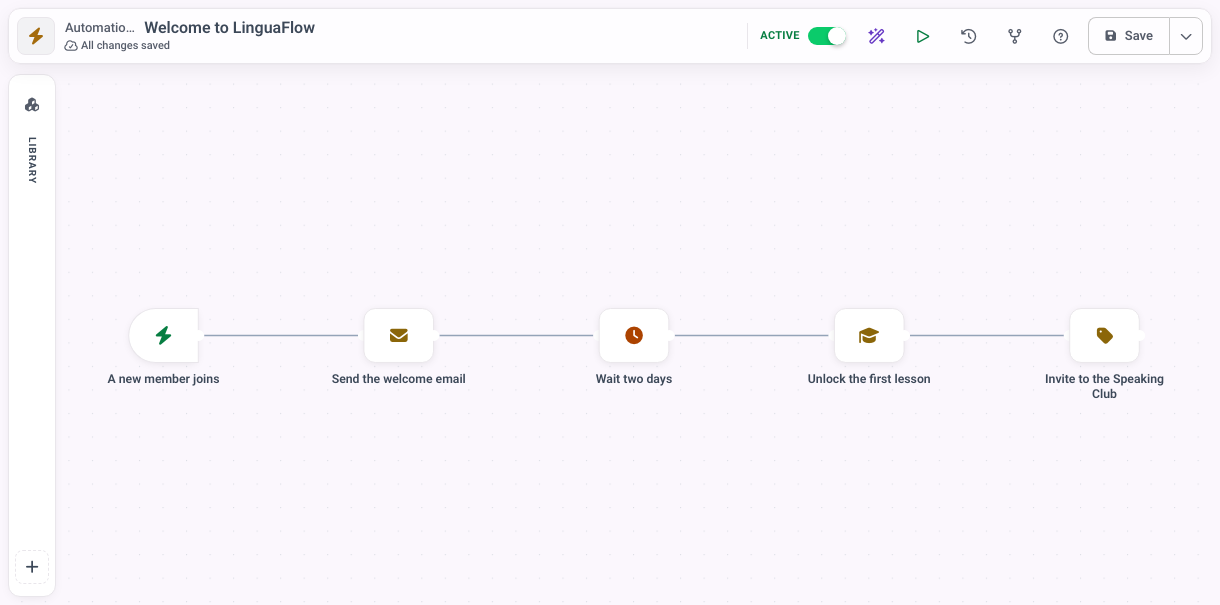
A trigger, a condition, an action. The same three pieces whether the flow runs natively or through Zapier.
An honest note: for many flows inside your platform you do not even need Zapier, because memberarea.io includes its own automation. Welcome emails, access and reminders often run natively, as shown on the automations page. Zapier shines when you want to connect external tools that are not part of the platform. More on connections is on the integrations page.
Connect memberarea.io with Zapier through the native integration and let your tools handle the busywork. Try memberarea.io for free and automate the tasks that have been costing you time.
Frequently asked questions
Do I need coding skills to use Zapier? No. Zapier is built to work without code. You choose a trigger and an action from menus and map the fields. A little patience on the first setup is all it takes.
Do I need Zapier if my platform already automates? For internal flows, often not, since the built-in automation handles those. Zapier becomes valuable when you want to connect external tools that live outside your platform.
How many automations should I start with? One or two, the ones that cost you the most time. Get those running, see the benefit, then add more. Trying to automate everything at once usually leads to a tangle.
What if an automation fails? Good systems retry a failed step automatically, so a brief outage in one tool does not lose the action. Zapier also notifies you when something needs attention, so problems rarely go unnoticed.
Conclusion
When you automate your online course with Zapier, you turn repetitive admin into something that runs itself. Start with the five essentials: update your CRM on a new member, welcome buyers automatically, reward completion with a certificate and upsell, remind webinar signups, and re-engage inactive students. Each one returns time and makes your business more reliable.
Remember that even one of these flows makes a difference. You do not need all five on day one, and each automation you add gives you a little more time back.
Pick the single task that annoys you most this week and automate it first. Try memberarea.io for free and connect your courses and members to all your tools.



Ready to build your membership?
Try it free for 14 days. No credit card, no setup fees. Launch in minutes.
No credit card required · Cancel anytime